- Family
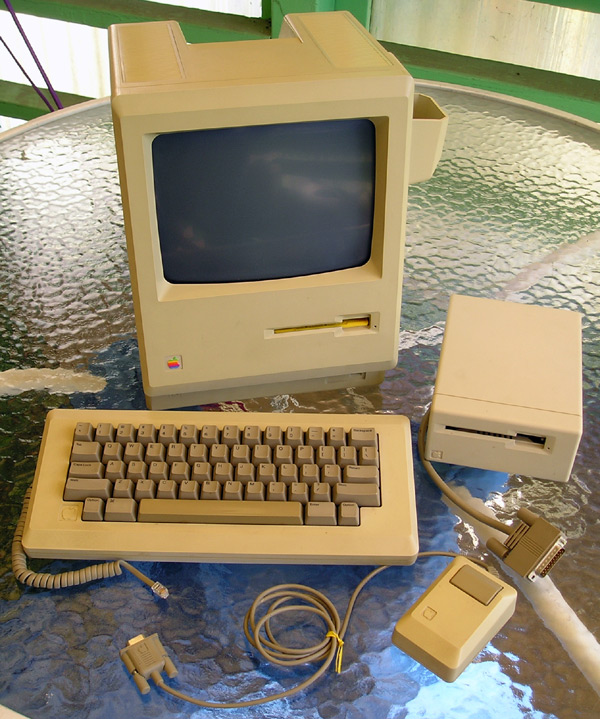
- Macintosh 128K/512K
- Architecture
- 68K
- CPU
- 8 MHz 68000
- Clock speed
- 8
- Introduced
- September 1984
- Discontinued
- April 1986
personal computer by Apple
Introduced to replace the Mac 128K in September 1984, the 512K had four times the RAM of the original Mac. This made it possible to work with larger files, more powerful software, and have more files open (running more than one application was still in the future, awaiting MultiFinder).
There’s really not a lot more you can say about the “Fat Mac” than that. Except for memory, it’s the same as the 128K.
Specs (via Low End Mac)
- Cpu: 8 MHz 68000
- Ram: 512 KB, expandable to 4 MB with third-party upgrades
- Rom: 64 KB
- Floppy Drive: 400 KB single-sided
- Addressing: 24-bit only
- Gestalt Id: 1
- Code Name: Fat Mac
- Upgrade Path: 512Ke , Plus
- Pram Battery: 4.5V PX 21 (a.k.a. Eveready 523, ANSI 1306AP, IEC 5LR50)
- Weight: 16.5 lb.
- Graphics: 9″ b&w screen, 512 x 342 pixels
- Drives Floppy Drive: 400 KB single-sided floppy connector on back of computer
- Serial Ports: DB-9 modem and printer ports
- Scsi Ports: none
- Power Supply: 60W
- See: Online Resources – Mac 512K Fat Mac
- Do Not Use High Density Disks: . If you want to copy a disk, open DiskDup+ and insert the “master” disk. It will be read and ejected. You will be asked for a copy disk. Insert the disk you are copying to. If necessary, DiskDup+ will format the disk. If the newly created disk is unreadable on the old Mac, try making a copy on another machine (this can be cause by a misaligned hard drive). DiskDup+ will work on old machines with 1 megabyte of RAM; it will require two passes to duplicate the disk, however.